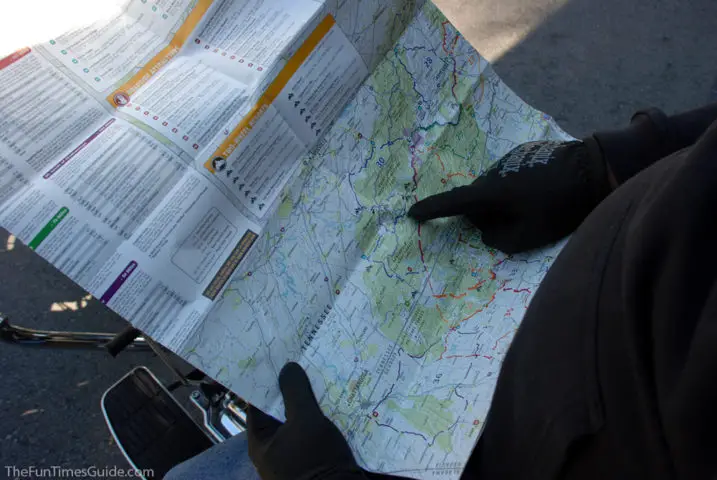
On our multi-day motorcycle trip to East Tennessee and Western North Carolina, we used this map of Scenic Road Trips in the Smoky Mountains all 4 days.
It really made planning our daily motorcycle routes a breeze!
Technically, this map is considered “Part 1” of the Southeast Regional Scenic Touring Maps series by Mad Maps.
Why We Like Mad Maps For Motorcycle Trip Planning
This one map covers 4 popular motorcycle riding areas:
- Middle and East Tennessee
- Western areas of North Carolina
- Northern areas of Georgia
- Most of Kentucky
…and includes turn-by-turn directions for a number of motorcycle loops in each of those areas.

Thank goodness Mad Maps are water-resistant and tear-resistant — because this is one map that we will be using over and over again on future motorcycle trips to East Tennessee and North Carolina.
We used to drive there in our Jeep Wrangler at least twice a year, but now we look forward to exploring the same areas — and more — on our Harley.
Other Mad Maps Motorcycle Maps We Use A Lot
In addition to this Smoky Mountains map, we also have the Southeast Part 4 Map: Indiana, Illinois, Tennessee & Kentucky by Mad Maps.
Soon, we will be adding the Southeast Part 3 Map: The Carolinas to our collection, as well.
And I’m sure we’ll eventually be getting a few of the MadMaps Harley maps too — like this Route 66 Harley Davidson Great Roads Map and a few more.
Mad Maps also has an app with 975 of the best motorcycle rides in the U.S.
You can bet the next time we make our way to North Carolina / East Tennessee on our motorcycle, we’ll definitely be referring to these Tail of the Dragon maps. (Here are some photos from our motorcycle trips to ride the Dragon.)
In addition to the Mad Maps mentioned above, Butler motorcycle maps and America Rides Maps are also very good. I’d especially like to check out the America Rides Maps for motorcycling around the Smoky Mountains.
NOTE TO SELF: Here’s where you can find them while out on the road.
How To Create Custom Motorcycle Maps
Looking for the best motorcycle trip planner? Us too!
Before we left home, we wanted to create custom motorcycle routes that incorporated only portions of some of the loops we found on the Smoky Mountains map — so we could plot our own unique route from Middle Tennessee into East Tennessee.
We spent a couple of hours researching, exploring, and experimenting with a few mobile apps and online programs. While it’s clear that you can plot your own routes using Google Maps, unfortunately there is no way to get voice-guided turn-by-turn directions using a custom map at this time. (They say that this will be probably be available soon!)
Here’s how to plan and follow a Google Maps route on motorcycle with your phone.
Here are some good sites for finding (and plotting) your own motorcycle rides:
- The Best Motorcycle Roads & Rides
- Harley-Davidson Ride Planner
- Great Motorcycle Roads In The U.S.
- Open Road Journey
- Sunday Morning Rides
- Greatest Road Motorcycle Rider App
Another great site for planning motorcycle routes is Best Biking Roads. They have a mobile app too. This video shows how the app works on an Android phone:
My Thoughts About Motorcycle Map Holders…
Carrying and reading the motorcycle maps is a whole other issue.
There were several times on our multi-day motorcycle trip that I wish Jim had been able to glance at the map while we were stopped at lights or pulled over on the side of the road.
However, for the first 2 days of our trip, we kept the map in the outside zipper pocket of our luggage bag (yep, behind us… on top of the tour pack). So we had to stop, and I had to get off the bike each time we wanted to check the map — which was a pain. But I wasn’t wearing a jacket, and I didn’t really have anywhere else to keep the map while we were riding.
During the times when I was wearing a jacket, we folded the map such that only the portion we were interested was visible and then tucked that into my jacket’s chest pocket. This was also somewhat of a pain for me to retrieve the map each time we had a question about a turn — because the map is paper and paper maps tend to unfold and flutter in the wind! (Not to mention the fact that I had to wear my eyeglasses the entire day just so I could read the map if we should have a last-minute question about a turn.)
A better solution for us would be one of 2 things:
- A way for me to carry the map while on the bike — folded compactly in such a way that I could read the portion we’re most interested in — without worrying about the map flying out of my hands or coming unfolded.
- A way for Jim to glance at the map without either of us having to get off the bike, and without having to worry about the map coming unfolded or flying away. Again, being able to fold the map in such a way that he could read the portion we’re most interested in at the time.
Based on our frustrations with unfolding, refolding, and keeping maps from flying away on the motorcycle, the following motorcycle map holders might be worth considering — because they’re made specifically for motorcycles! These motorcycle map holders adhere to the bike’s gas tank with super-strong magnets:
- Roadgear Magnetic Tank Map Holder
- Dowco Rally Pack Motorcycle Tank Bag
- River Road Magnetic Map Pouch
- Dowco Tank Map Holder

I’ve also considered making my own pocket map holder using a sturdy see-through plastic/vinyl sheet of some sort. I’m thinking along the lines of a really thick clear page protector — similar in size to those used in day planners.
I sometimes use an app called CamScanner to take a photo of the exact portion of a map that we are most interested in (for each leg of the trip). That way, we can just zoom in to the “photo” of the map that is stored on our phone — so we can see things on the map even closer while we are on the bike. This app produces higher quality and more detailed images than a typical camera app. It basically turns your phone into a photocopy scanner and creates images as PDF’s which you can then save, share, or upload to the cloud.
Other Good Motorcycle Apps
My final tip is to take a few minutes before you even leave home to store some important apps (and links to certain sites’ homepages) as shortcuts on your mobile phone.
In addition to the CamScanner app mentioned above, these are the apps we use the most on long motorcycle trips:
- Harley-Davidson store locator – to find motorcycle necessities while on the road (This one’s not actually an app, but you can just open this page to their website on your phone, and then add a shortcut to your phone’s homescreen.)
- Priceline – to find nearby hotels quickly no matter where you are
- My DAT Trucker Services – to find Walmarts, rest areas, and truck stops nearby
- Weatherbug – to check the weather forecast, wind, etc.